SEO

2027 Marketing Calendar for Scottish Small Businesses

SplashSol • Practical 2027 planning

Published 24 November 2026 · Examples are labelled · Sources below

Quick answer

Build your 2027 marketing calendar around customer needs, capacity and verified dates. Start with one useful campaign each month, prepare it several weeks ahead and give every campaign a clear enquiry or booking goal.
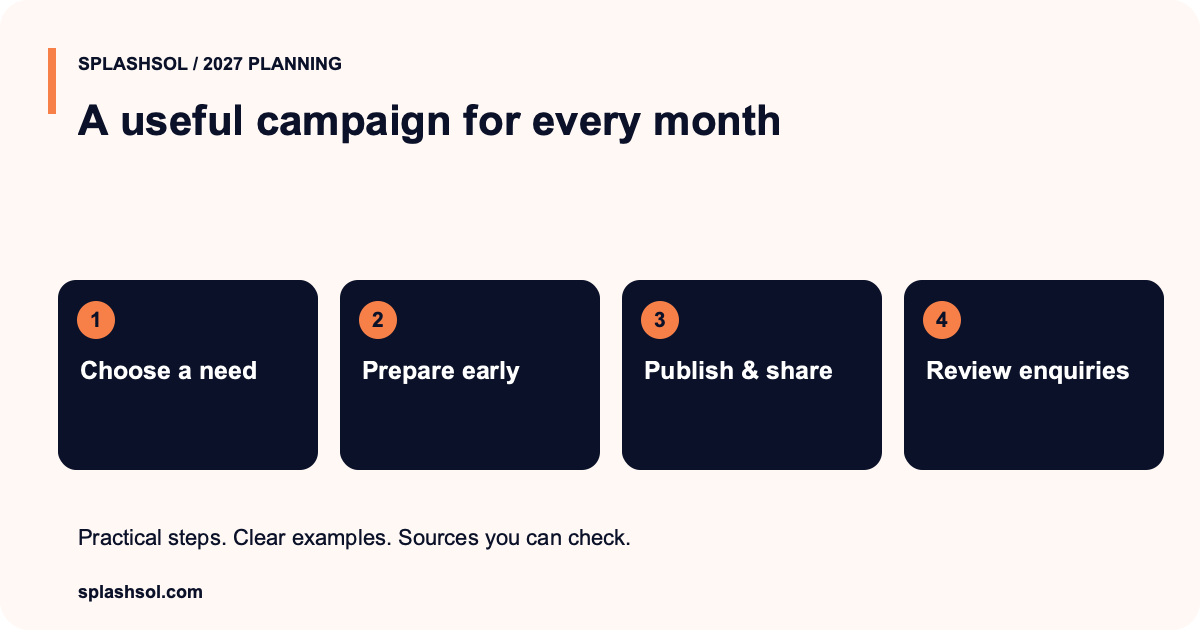
2027 Marketing Calendar for Scottish Small Businesses — Choose a need, Prepare early, Publish & share, Review enquiries
Work back from the date customers need to decide, then review suitable enquiries.
On this page

A calendar you can actually use

You do not need a post for every awareness day. A small business is better served by twelve relevant campaigns than a diary full of dates with no connection to what it sells. Start with your busiest periods, the work you want more of and the weeks when you can take it on.

This is a Scotland-first calendar. National bank holidays are separated from business ideas and fixed cultural dates. Local holidays, school calendars and individual opening arrangements vary; check those with the relevant council or venue before promising an event or delivery date.

Scottish bank holidays in 2027

Official national Scottish bank holidays: source GOV.UK
Date Day Holiday
1 January Friday New Year’s Day
4 January Monday 2 January substitute day
26 March Friday Good Friday
3 May Monday Early May bank holiday
31 May Monday Spring bank holiday
2 August Monday Summer bank holiday
30 November Tuesday St Andrew’s Day
27 December Monday Christmas Day substitute day
28 December Tuesday Boxing Day substitute day

Twelve monthly campaign ideas

Suggested campaigns, not forecasts or compulsory events
Month Useful angle Example action Measure
January Help people make a start Driving school: explain availability, lesson areas and how to book an assessment. Suitable lesson enquiries
February Make the next step easier Salon: show appointment length, preparation and real availability. Valentine’s Day is 14 February. Completed bookings
March Plan spring work Trades: publish a guide to preparing for a quote, with genuine project photos. Qualified quote requests
April Answer common buying questions Cleaner: compare one-off and regular cleaning using your actual inclusions. Enquiries that match the service
May Explain lead times Landscaper: show when to enquire for a summer project and what the first visit covers. Survey appointments
June Reduce holiday uncertainty Pet service: explain booking, handover and cancellation arrangements. Suitable summer bookings
July Make holiday contact clear Professional service: confirm cover, reply times and appointment options. Enquiries answered within the promise
August Prepare for the next busy period Transport business: explain group size, luggage and advance-booking information. Complete quote requests
September Refresh the evidence Publish a real completed job with permission, scope and useful lessons. Visits to the relevant service page
October Plan winter demand Heating business: explain the services actually offered and safe routes for urgent help. Relevant service enquiries
November Prepare for year-end Shop: publish gift, order and collection deadlines. Burns Night and local events can inform later planning. Orders before the real deadline
December Keep customers informed Confirm holiday hours, reply messages and January availability. Correct bookings and fewer avoidable queries

Burns Night is 25 January, Halloween is 31 October and Bonfire Night is 5 November. Use a cultural date only when it fits the business. Do not present a retail promotion, awareness day or unannounced event as an official holiday. This calendar intentionally leaves out unconfirmed 2027 event dates.

Turn a date into a small campaign

  1. Write the customer question: “Can I get this fitted before summer?” is more useful than “May content”.
  2. Choose one main page that answers it. Update an existing page if it already serves that purpose.
  3. Add a clear next step: check availability, request an estimate or book an appointment.
  4. Work backwards from the customer’s decision date. Allow time for writing, approval, photography and distribution.
  5. Reuse the useful parts in a Google Business Profile update, email to an appropriate audience and social post. Link back to the main page.
  6. Record enquiries, bookings and the time spent. Keep the campaigns that bring suitable work.

A practical lead-time example

A fictional joinery business wants fitted-storage enquiries for spring. It prepares a photo-led planning guide in January, shares it during February and gives an honest installation lead time. The campaign is built around when a customer needs to decide, rather than the day the joiner hopes to begin work. The timing is an example; use your own workload.

Keep the plan small enough to maintain

Assign an owner and a review date to each campaign. Check the contact form, opening hours and booking capacity before publishing. If a busy month leaves no time for new content, improving one existing page can be the most useful item on the calendar. The one-page marketing plan helps decide what to prioritise, while the budget planner keeps the spending visible.

Build the calendar around how customers buy

A useful calendar starts before the public occasion. A restaurant’s booking decision may happen weeks before the meal; a homeowner might plan a large improvement several months before work starts. Write down the decision the customer needs to make, the information they need, and how much notice the business needs to deliver. Those dates are more useful than filling every week with an awareness day.

Ask the person who handles enquiries what customers repeatedly ask at each stage. A bakery might need order quantities and collection times. A builder might need location, scope and a realistic start window. A salon might need to explain appointment length and availability. Use those questions to choose the page or resource attached to a campaign.

Check the plan against actual capacity. A fully booked business may need to promote later availability, a specific quieter service or recruitment, rather than immediate customer bookings. If the goal changes, update the calendar’s call to action. Sending more people to an unavailable service creates extra administration without necessarily creating useful work.

Separate national dates from local working patterns

The official bank-holiday calendar is the starting source for national dates. It does not tell you every local school holiday, delivery cut-off, event date or day that a particular business will close. Check the relevant council, organiser, venue or supplier directly before putting those dates into customer-facing material.

Scotland’s summer bank holiday falls on 2 August in 2027; England and Wales have theirs on 30 August. That matters if customers, suppliers or staff work across the border. A campaign described simply as “the August bank holiday” may be unclear. Use the full date where timing affects appointments, collections or fulfilment.

Likewise, a local public holiday is not a reliable shortcut for the opening arrangements of every nearby business. Agree your actual timetable and publish it consistently. The Google holiday-hours checklist explains the account update, while this calendar helps you schedule that work early enough.

Give each quarter a different job

You do not need twelve unrelated campaigns. Group the year into a few business priorities and use individual months to support them. The following example is a planning framework, not a forecast of Scottish consumer demand. Move the activities to fit your own enquiry history, service lead times and working year.

An adaptable quarterly planning framework
Period Planning question Useful work
January–March What work can we accept, and what needs explaining before someone books? Refresh the main offer, correct availability and answer common first-enquiry questions.
April–June What needs preparing before planned summer work or staff leave? Collect project evidence, confirm delivery dates and improve service pages.
July–September Which campaigns need long lead times for autumn and year-end? Prepare booking pages, photography, budgets and supplier arrangements.
October–December How will customers order, book and contact us around closure dates? Publish deadlines, update holiday hours and prepare the next January enquiry process.

Keep a short reserve list of useful tasks for quiet periods. Updating a confusing service answer, replacing an outdated photo or checking a broken booking link can be more valuable than launching another promotion. The calendar should help someone choose the next action when time becomes available.

A worked campaign for a fictional local bakery

Imagine a bakery planning Christmas collection orders. Start with the final collection dates and the number of orders the team can fulfil. Then decide when orders must close, how changes will be handled and where customers will find collection instructions. Only after those decisions should the owner schedule posts or emails.

Six weeks before the chosen order deadline, the owner checks the order page, photographs the actual products and agrees the wording. Four weeks before, the page goes live with the range, quantities, prices, collection options and order conditions. Later reminders point to the same current page. When capacity is reached, the message changes immediately rather than continuing to advertise unavailable orders.

After collection, the owner reviews paid orders, cancellations, customer questions and staff time. An impressive social post is less useful if customers could not find the collection address. Save the questions for the following year. This fictional sequence shows how one well-maintained page can support several timely messages without creating a new page for every reminder.

A different sequence for a trades business

A trade contractor may need a longer planning window and a less seasonal sales message. For a fictional joinery business, a January campaign could explain how to prepare an enquiry for a spring project. The page might request the property area, type of work, approximate dimensions, photographs and preferred timing, while explaining that a quotation follows assessment.

The supporting calendar could assign one week to a completed project story, another to the quotation process, and another to the questions that delay estimates. All three pieces would link to the relevant service page. There is no need to claim an immediate start date or invent urgency to make a January post feel timely.

Review whether the enquiries match the work the team can take on. If most requests fall outside the real service area, improve the wording and targeting. If customers ask for something the business does not provide, clarify the scope. The SEO guide for tradesmen explains how to organise those service and location pages.

Turn one useful guide into a small set of posts

Choose one substantial website page as the main destination for a campaign. Then prepare supporting messages that each answer a different question: who the service suits, what the customer should prepare, how the process works, and what happens next. That gives each post a reason to exist while keeping detailed information in one place.

Adapt the material to the channel. A short social post can show one genuine example and link to the complete guide. A permitted customer email can explain a relevant deadline. A Google Business Profile update can help a local customer find current information. Avoid publishing the same long passage everywhere, particularly when the audience needs a quick answer on a phone.

Assign an owner and an approval date to every item. If nobody can confirm the price, photo permission or available booking slots, keep the piece out of the publishing queue until those facts are checked. A short, accurate update is easier to maintain than several promotions containing conflicting details.

Use a simple campaign record to judge what worked

For each campaign, record the goal, dates, destination page, cash spent, owner time and the outcome you can actually verify. Suitable enquiries, confirmed bookings and completed orders are different stages. Keep them separate so you can see whether the problem was attracting people, answering them or fulfilling the work.

A fictional campaign that produces twelve enquiries and four bookings has a different story if eight enquiries were outside the service area. Count the unsuitable enquiries and note the reason. That may lead to a better location description rather than a larger advertising budget. If customers clicked but the form failed, fix the form before judging the subject or offer.

Use the marketing budget template for spending and the one-page marketing plan for the business goal. The calendar then becomes the schedule connecting those decisions, rather than a separate document full of activity that nobody measures.

Keep a monthly review small enough to happen

At the end of each month, look ahead at the next six to eight weeks. Confirm dates, capacity, approvals and the single most useful page to improve. Mark any campaign that should be delayed, simplified or stopped. A changed plan is more useful than a perfectly formatted calendar that no longer reflects the business.

Keep completed items and short notes instead of deleting the history. Future planning becomes easier when you can see which deadlines were too late, which questions kept returning and how much preparation the work required. Before reusing a campaign in 2028, check every date and offer again. The previous year’s calendar is evidence to learn from, not a timetable to copy unchanged.

Frequently asked questions

Is this a full UK marketing calendar?

It is written for Scottish small businesses. Some cultural dates apply across the UK, but bank holidays and local arrangements differ. Use the official calendar for each nation you serve.

How often should a small business publish?

Choose a pace you can sustain with useful, accurate content. One well-prepared monthly campaign is a sensible starting point for this plan, not a search-engine requirement.

Should I create a new page for every seasonal campaign?

Usually reuse a strong relevant page and update the details. Create a separate page when it answers a distinct customer question and can be maintained.

Sources and checks

Prepared for 2027 planning. Sources checked on 24 November 2026; provider prices and product screens can change.

Sheikh Ahmad
Written by Sheikh Ahmad
SplashSol Digital Marketing Team

Sheikh Ahmad is the founder of SplashSol, a Glasgow-based digital marketing agency specialising in SEO, PPC, web design, and social media advertising. With years of experience helping businesses grow their online presence, Sheikh Ahmad leads a team dedicated to delivering measurable, performance-driven results.

Table of Contents

Free Consultation

Ready to Grow Your Rankings?

Get a free SEO audit and a tailored strategy from our experts.

Get Free SEO Audit
Keep Reading

Related Insights