Website Brief Template for a 2027 Small Business Launch

SplashSol • Practical 2027 planning

Published 24 November 2026 · Examples are labelled · Sources below

Quick answer

A website brief should explain the business goal, audience, pages, required features, content owner, budget and launch constraints. Give every supplier the same brief and ask for build, recurring and optional costs separately. The free workbook includes editable fields and a fictional completed example.
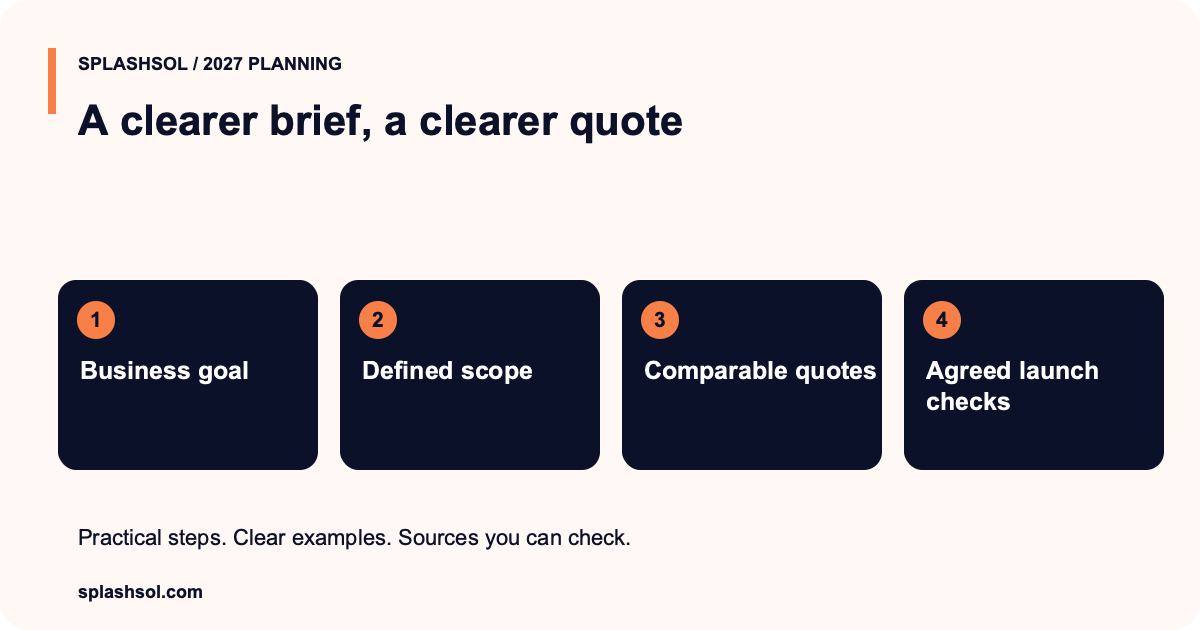
Website Brief Template for a 2027 Small Business Launch — Business goal, Defined scope, Comparable quotes, Agreed launch checks
Define the outcome and scope before comparing proposals and agreeing launch checks.
On this page

Make the project clear before asking for prices

“We need a modern website” leaves most of the work undefined. A short brief helps the person quoting understand what customers must be able to do and what the business can supply. It also makes it easier to spot when two apparently similar quotes cover different jobs.

You do not need to choose every design detail before speaking to a supplier. Be clear about the outcome and constraints, then ask them to explain the options and trade-offs. Use the template as a conversation starter and a record of the agreed scope.

What to include in the brief

Editable fields are provided in the workbook
Section Information to supply Why it matters
Business and customer Services, genuine coverage and the customer’s main questions Sets the content and the site’s purpose.
Goal The action a visitor should take and what a suitable enquiry looks like Helps decide forms, page structure and measurement.
Pages A first list, with a purpose for each page Prevents an unclear page count from becoming a scope dispute.
Functions Bookings, payments, uploads, product options or software connections These can change build and ongoing costs.
Content Existing text, photos, permissions and who creates missing material Avoids a finished design waiting indefinitely for copy.
Brand and access Approved identity, domain and current website ownership Makes design and handover responsibilities clearer.
Budget and timing Available range, decision date and genuine launch constraints Allows a realistic proposal or a phased launch.
Support Training, updates, backups, issue handling and ownership Defines what happens after launch.

Completed example: a fictional joinery business

Demonstration only. “Northbank Joinery” is an invented business for this brief. It is not a SplashSol client and the budget is not a service quote.

  • Goal: receive suitable fitted-storage enquiries from a defined local service area; no online checkout at launch.
  • Audience: homeowners comparing the process, style and likely next steps before requesting a quote.
  • Pages: home, fitted storage, other joinery, project gallery, about and contact, plus the necessary policy information.
  • Main enquiry: contact details, area and a short description. A photo-upload option is desirable only if its storage and handling are agreed.
  • Evidence: six real projects with permission, captions and accurate descriptions. The owner supplies photos; the supplier quotes for editing and page copy.
  • Integrations: enquiry delivery to an agreed mailbox. CRM or booking automation is optional, priced separately.
  • Budget: an internal planning range to be agreed before requesting quotes. Do not copy another example’s number as a market benchmark.
  • Timing: a preferred February launch, dependent on content approval and the actual supplier schedule.
  • Acceptance: mobile navigation works, forms are received, links and redirects are checked, and the owner can update key content.

Separate essential work from later ideas

Use three labels: required at launch, useful if affordable and later. A small business may need a reliable enquiry form now and an online booking connection later. A phased plan can be sensible when the first phase is still useful on its own. Ask how a later addition would affect the original design and what ongoing fees it introduces.

Quote-comparison checklist

Use the same questions for each proposal
Ask every supplier Write down
Who creates and approves the content? Deliverables, revision rounds and deadlines.
Which pages and functions are included? A named page list and clearly defined features.
What happens to existing URLs? Migration, redirects and responsibility for checks.
What will be tested? Mobile, keyboard use, forms, links, performance and agreed accessibility work.
Who owns and controls the accounts? Domain, website, hosting, analytics and software access.
What costs recur? Renewal dates, support, licences, platform fees and applicable VAT.
What counts as completion? Acceptance checks, training, issue period and handover material.

For the money side, see the UK website cost planning guide. Avoid comparing a design-only quote with a complete copy, build and migration project as if they were equivalent.

A launch check you can understand

  1. Read every key page as a customer and confirm the service, prices where stated, hours and contact details.
  2. Use the site on a phone and with a keyboard. Check that labels and error messages make sense.
  3. Submit each form and verify receipt, confirmation and the next step.
  4. Check old URLs that matter and confirm the agreed redirects.
  5. Confirm measurement, search access, sitemap and agreed structured data are set up appropriately.
  6. Collect account ownership, training and support information before signing off.

Keep the brief up to date

Once a supplier is chosen, record the agreed changes in the scope. If a new idea arrives, note its cost and effect on timing before treating it as included. Keep the brief, quote and acceptance checks together. It is much easier to resolve a small question before work starts than after everybody remembers the conversation differently.

Start with the decision your customer needs to make

Describe the visitor’s main task in a sentence. A homeowner may need to decide whether the business handles a particular kind of work in their area. A prospective pupil may need to compare lesson types and find a genuine place in the diary. A retail customer may need to choose a product and understand collection or delivery.

Then describe what a successful visit looks like. “Send a project enquiry with the location, work type and photographs” is easier to design and test than “make the website modern”. The visual style still matters, but it should support a defined customer action rather than become the only measure of success.

Include the questions that staff repeatedly answer before a customer can proceed. Those questions are the foundation of the content brief. If the business has an existing website, mark where the answers currently live and which ones are missing, incorrect or difficult to find on a phone.

Write a page list with a purpose for each page

A page list becomes much more useful when it says what each page must explain and where it should send the reader next. Avoid treating “five pages” as the entire specification. Two five-page websites can require very different amounts of research, writing, photography and development.

Example page brief for a fictional local service business
Page Main job Material required Next step
Homepage Explain the service, area and reasons to consider the business. Approved offer, accurate facts and a genuine introduction. Choose the relevant service.
Service page Answer the buying questions for one type of work. Scope, process, limitations and examples. Send a suitable enquiry.
Project page Show how a real piece of work was approached. Permission-based photographs and a factual account. Read the related service.
About page Introduce the actual people and business. Current team information and claims that can be checked. Contact the appropriate person.
Contact page Explain how and when an enquiry will be handled. Actual contact details, hours and form requirements. Submit, call or book through the agreed route.

If several service pages use one design, say whether writing all their content is included. A reusable layout reduces repeated design work, but each service still needs accurate information and approval.

Assign every content item to a named owner

List the text, photographs, logos, product details and policies required for launch. Mark each item as supplied, needing an update or needing creation. Then name the person who will produce and approve it. “Client to supply content” is too broad if nobody knows which pages are waiting.

Agree what the supplier means by copywriting. Does it include an interview, background research, a first draft and a defined number of revisions? Who checks service claims, qualifications, prices and customer permissions? A designer should not have to invent business facts to complete a layout.

Set a realistic approval period and keep feedback together. Conflicting comments from several people can slow the project and create extra revision work. Name one final decision-maker and distinguish factual corrections from a later change in preference. Keep the approved copy so there is a clear reference when the website is tested.

Describe functions as complete journeys

For each feature, write what starts the process, what the customer does and what the business receives. For an enquiry form, define the fields, destination, acknowledgement and error handling. For bookings, describe availability, confirmation, changes and cancellation. For payments, identify the actual provider and who handles exceptions.

Include the unsuccessful path. What happens if a message cannot be delivered, a calendar is unavailable or a customer abandons payment? A brief that covers only the ideal demonstration leaves important decisions until late in the build. Ask the supplier to explain which parts depend on another service and any separate subscription.

Separate essential functions from ideas for later. If the business can initially handle quotations through a short form, a complicated pricing calculator may be a future improvement. Record the later idea and any platform requirement so the first launch remains manageable without blocking sensible growth.

Make accessibility and mobile checks concrete

Ask for readable text, a clear heading structure, useful link names, keyboard access and forms with proper labels and error messages. “Accessible” should lead to an agreed review process, not remain an unexplained adjective in the proposal. Discuss the standard and the scope of testing with the supplier.

W3C’s guidance on form labels explains one practical requirement: people need to identify what a control is for, including when using assistive technology. A placeholder that disappears while typing should not be the only way a visitor understands a field.

For mobile, test actual tasks. Can a customer read the service details, open the menu, view a comparison table and submit the form at a normal phone width? Check that buttons are usable and messages do not disappear outside the screen. A screenshot of the homepage is not enough to establish that the enquiry journey works.

Include existing URLs and accounts in a replacement brief

Provide a list of current pages, useful downloads and tools. Identify any pages receiving relevant traffic or links, and explain which material should remain. If addresses change, ask for a redirect plan and a way to test it. Keep an agreed backup of the existing website before replacement work begins.

List the accounts involved without putting passwords into the brief. These may include the domain, hosting, analytics, Search Console, email, booking software and payment service. Record who owns each account and who can arrange appropriate access. Use a secure access process agreed with the supplier.

Make email changes a separate decision. Moving a website does not automatically require moving every mailbox, and a website launch should not accidentally interrupt customer messages. If an email move is in scope, give it its own plan, responsibilities and checks.

Define what must pass before launch

Create acceptance checks that a business owner can understand. The agreed pages contain approved content. Important old addresses lead to the correct new destinations. A test enquiry reaches the nominated inbox. Booking and payment journeys behave as agreed. The website has the intended contact details, opening information and public privacy material.

Agree who performs each check and who gives final approval. Record exceptions rather than treating an incomplete checklist as a successful launch. Some later improvements can be scheduled, but a broken enquiry route or incorrect offer should not be left unresolved simply to meet an announcement date.

For search, ask for the agreed titles, internal links, sitemap and indexability checks. Google’s recrawl guidance makes clear that discovery and indexing take time and are not guaranteed by a submission. The launch brief should promise checks the supplier can perform, rather than a fixed ranking.

Agree the handover and the next three months

Specify the access, training and documentation the business will receive. Ask who will make ordinary edits, renew software, check forms and respond to faults. Keep the recurring price, included allowance and cancellation process with the brief so ownership of those jobs remains clear after the launch meeting.

Set a first review date to look at real customer behaviour and enquiries. Keep a small list of improvements discovered after launch, with priorities and owners. Use the budget template for ongoing commitments and the marketing plan for the first campaign. A good brief makes both the build and the continuing work easier to manage.

Frequently asked questions

How long should a website brief be?

Long enough to define the outcome, audience, scope and constraints. A concise brief with a page list and feature notes is usually a better start than a long list of design adjectives.

Should I include a budget?

A genuine available range helps suppliers propose a workable scope. Ask for build, recurring and optional costs separately and confirm the tax basis.

Do I need a new domain for a redesign?

Not automatically. Discuss the existing domain, URLs, access and migration before changing them. A redesign can often keep the established address.

Sources and checks

Prepared for 2027 planning. Sources checked on 24 November 2026; provider prices and product screens can change.